Is There a Difference Between Retouching and Editing, and Does It Matter?
On their websites lots of professional photographers will describe the finished photographs they deliver as being edited or retouched. Some photographers use the terms interchangeably. For many working photographers there is a big difference between the two. This is true for Senior photos, family pictures, weddings, and almost all portrait photography.
These words sound like they mean the same thing but that might not be the case. In the world of photography there is no clearly defined, legally binding, meaning for either term. While there is general agreement, photographers are free to apply their own meanings to either word. As a result there is a lot of room for misunderstanding.
The Differences Between Editing and Retouching in a Nutshell
The Professional Photographers of America breaks it down this way:
- Editing: Changes made to the entire photo at one time. These are also called global adjustments and include a variety of possible adustement. For example, changes in brightness, contrast, sharpness, cropping, and color saturation are common.
- Retouching: Changes directed at specific items in the photograph. This often includes removing distracting objects, targeted color changes, and eliminating blemishes.
Casey Fatchett is another photographer who explains it as well.
Editing
As I mentioned earlier editing involves changes that affect the whole photograph – global adjustments. This is commonly done using programs like Lightroom, Capture One, and Luminar Neo. We use Lightroom.
Photographers (us included) use editing software to accomplish the following tasks:
- Organize and select the best photos from the session.
- Crop to improve the composition and enrich the story.
- Adjust exposure to brighten or darken the photo as needed.
- Correct the white balance to remove unwanted color casts and ensure that colors appear as we intend.
- Adjust color saturation to heighten the mood or make colors pop.
- Change clarity, texture, and dehaze to make the photo appear sharper or softer.
Editing a photo normally takes less than ten minutes. It is often possible to copy and paste the edits from one photo to a group of similar shots.
Getting Started with the Basic Photo
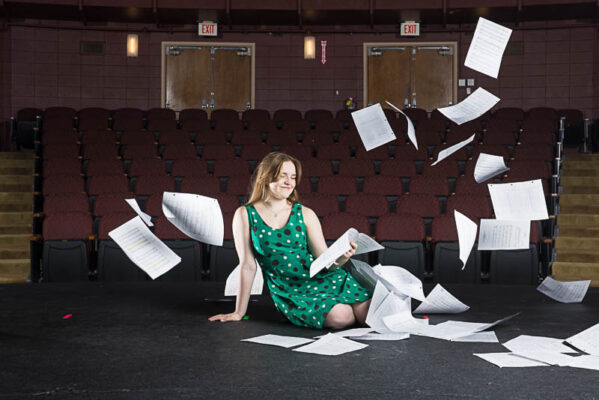
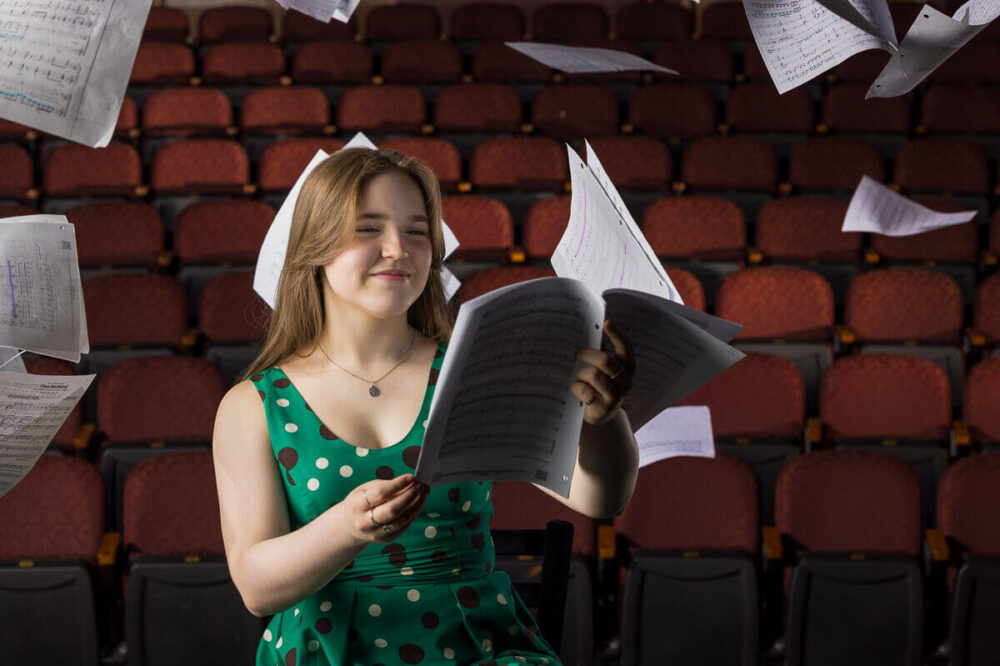
This photo is ‘straight out of camera’. In other words we haven’t made any adjustments yet.
We took this photo at a theater located in Anchorage. When setting up for the shoot we used studio strobes to light our subject and the surrounding environment. In this case you’ll notice that it is a bit overexposed. I tend to shoot this way on purpose and explain why in this post if you’re interested.
Initial Adjustments
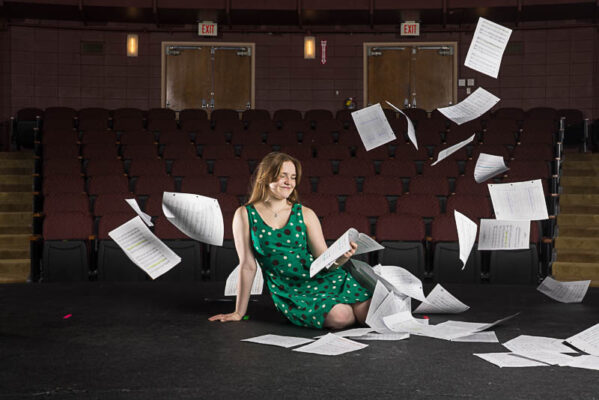
This is the edited version of the photo. You can see it is darker. We did this by darkening the highlight and shadow areas. The strobes we used gave the scene a cooler look. While that is not bad we wanted a slightly warmer feel so we changed the color temperature. In this case we were happy with the cropping and color saturation so we left those unchanged. This photo did not need much adjustment to sharpness, clarity, or texture. As a result the adjustments we made for those were very small.
This edit took us about two minutes.
We are now ready to start retouching the photo.
Retouching
Our General Approach to Retouching
Retouching is a very focused and detailed task. Therefore it is a more time intensive task than editing. We use Photoshop for retouching photos. Programs that other photographers use include Gimp and Affinty Photo. Like many photographers we use Photoshop for retouching to:
- Remove unwanted objects. This one is a biggie for us.
- Change the color of items.
- Perform targeted changes in brightness (dodging & burning).
- Make changes to clarity and contrast to specific parts of the image.
- Add items to the photo. This is technically referred to as compositing. We don’t do this very often.
Photo retouching is as much art as it is science. In light of this we use dozens of tools and techniques in Photoshop depending on the photo and the changes needed. Retouching a photograph can often take more than an hour per image.
First Step – Compositing
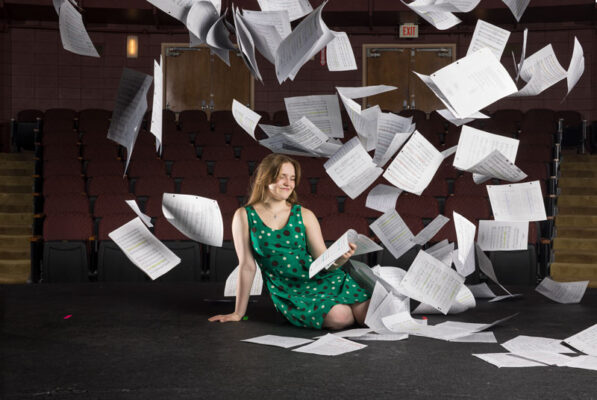
Our first step in retouching this photo was to composite additional sheets of music into the air above her head. These came from other photos in the same sequence.
Like I said earlier, compositing is something we only do once in while. While it is fun it can be incredibly time consuming.
Removing Unwanted Items
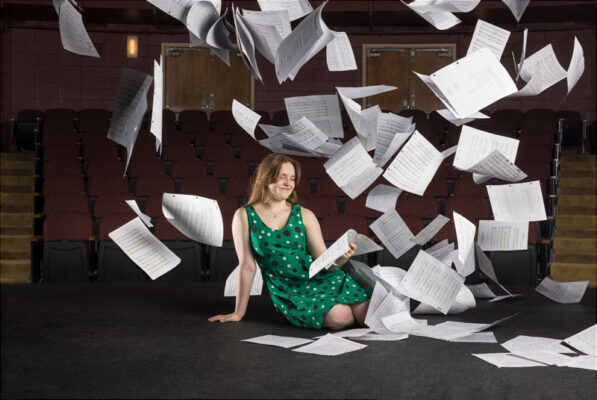
After we completed compositing it was time to remove some unwanted objects from the image. Some of the things we removed were:
- Pieces of colored tape on the floor.
- Scuff marks on the floor.
- Light reflections on the doors in the back of the theater.
- The exit signs.
- Fire extinguisher sign.
- Some fly-away hair on our model.
Fishing Touches
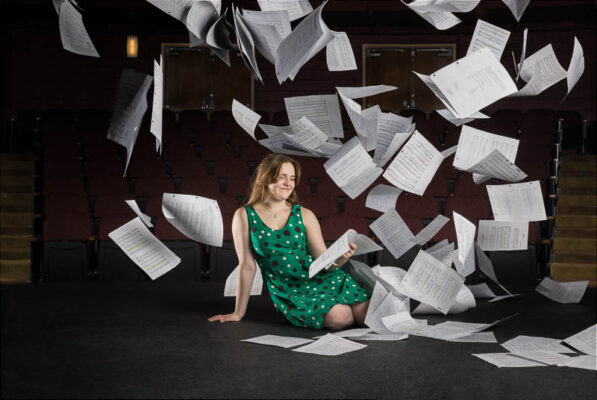
To finish up the retouching we created a series of masks to make the following adjustments:
- Darken the highlights a bit on our model.
- Reduced the brightness on the flying music sheets.
- Darkened the stage to increase the contrast with the model.
- Darkened the doors in the background to prevent them from pulling attention off of the foreground.
- Darkened edges of the image to create a slight vignette effect.
Total retouching time for this photo was about 90 minutes.
Skin Retouching
As portrait photographers we spend a fair amount of our time retouching skin. Skin retouching is topic of constant conversation, not all of it complimentary for friendly. The internet is full of photos many people consider to be over retouched. In some cases the skin has been transformed into manequin like perfection, which is not realistic or believable.
No two clients are the same and what they want in terms of retouching varies quite a bit. Accordingly we adjust the amount of retouching on a case by case basis. Over the years we have done a wide variety of skin retouching. It ranges from almost nothing at all to creating the look of drawing.
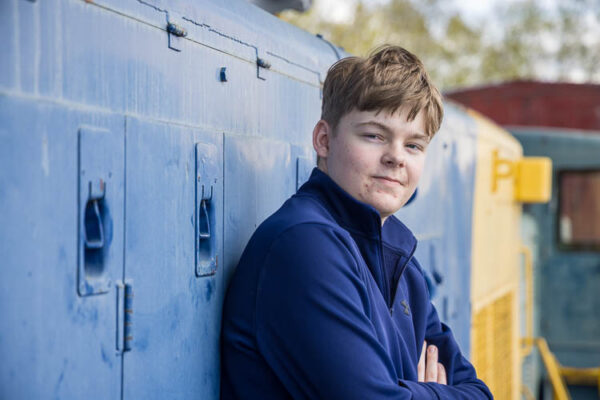
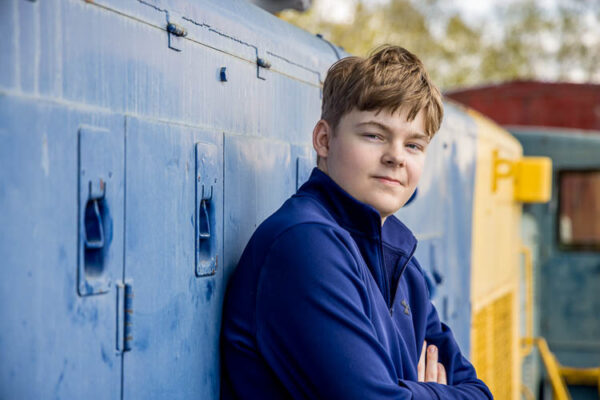
Our normal approach is to follow the “Two-Week” rule. Basically we only remove things that are temporary in nature. This would be things like redness, cuts, scratches, and blemishes. The goal here is for us to create a realistic look that retains all the original skin texture.
These photos are typical of our skin retouching approach.
A Final Thought on Retouching and Editing
Having a conversation with your photographer about editing and retouching is a vital part of making sure your finished photos are what you had in mind.
Ask them how they define these terms. If they do perform retouching, have a clear conversation about what you expect and what you don’t want. For the most part working photographers are happy to have this conversation with you.